PollinLink
Designing a platform that centralizes scheduling, communication, mapping and safety workflows of farm operations from scratch.
Founding Designer
ROLE
Mobile + Web
PLATFORM
2024 - 2026
YEAR


LINKS
The Challenge
Isolated scheduling, overlapping task, scattered communications.
Pollination activities ran on tight schedules across large areas with multiple teams working at once. Before PollinLink, existing tools often caused more problems than they solved. Scheduling was isolated, leading to task overlaps and confusion about team locations. Communication was scattered through texts and calls, lacking structure. Field data was often kept in spreadsheets or not recorded, and there was no system to connect chemical application reports to team members before they entered the field. The key challenge was to create a scheduling tool that also provided operational visibility, ensuring safety workflows were effective and user-friendly for field personnel.
The IDEA
Simplify the process.
To simplify the process, the plan was to design a system for two major user types first: Agronomist & Pollinators. Agronomists required oversight for planning and scheduling, ensuring tasks were done correctly in the right fields. Pollinators, however, needed straightforward instructions on what to do and how to report back efficiently.
My contribution
Owning the design end to end.
the mobile experience
Clear actions. Centralized system.
The mobile app focused on four key feature as described below.
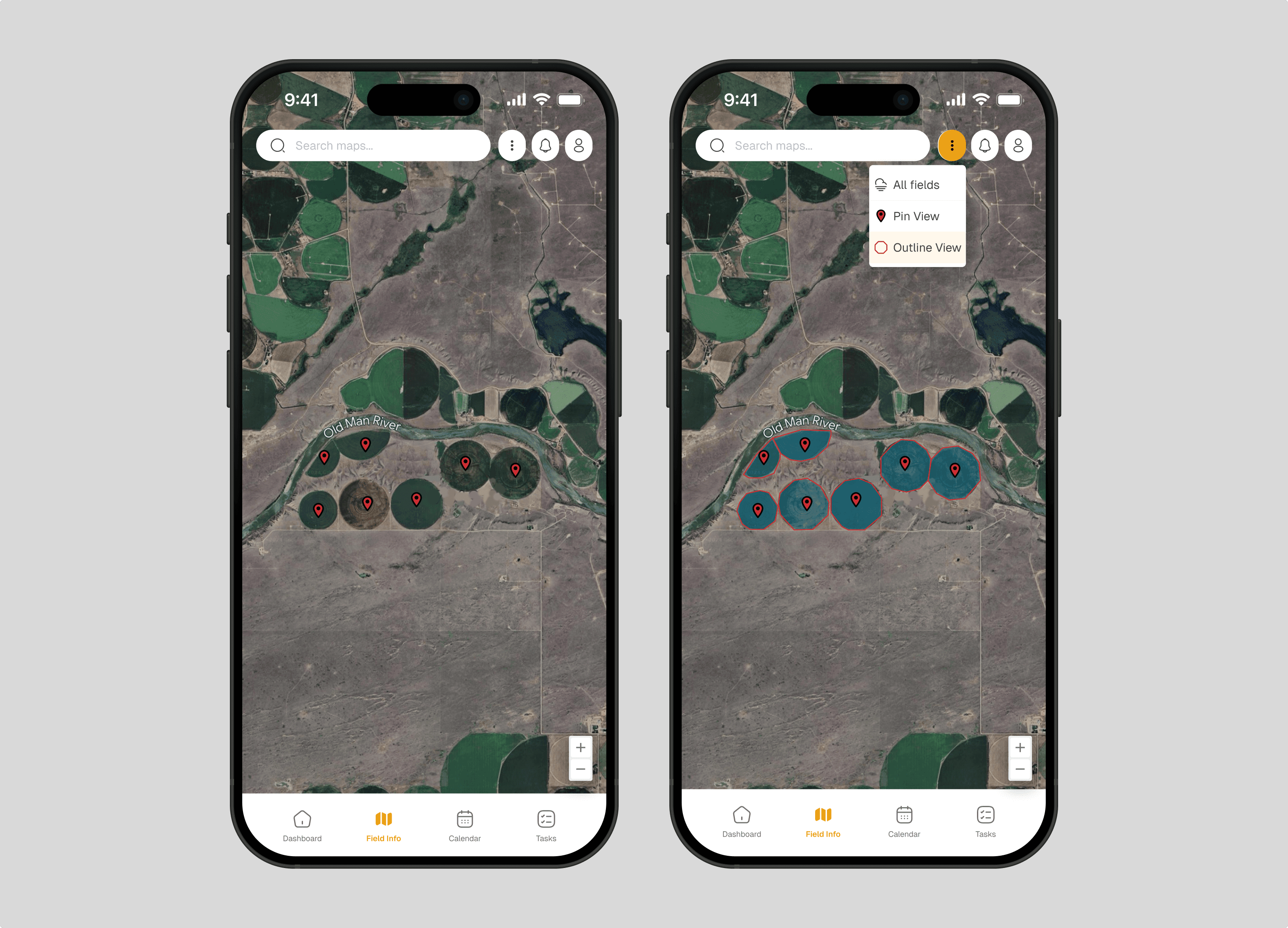
Field info : Agriculture thrives in the field, not on spreadsheets. This feature was crucial as it connected users to real locations. Agronomists used it to plan and manage resources by reviewing field conditions, while Pollinators relied on it for navigation and execution, knowing exactly where to go and what to expect. Without this, PollinLink would merely be a to-do list; with it, the app resonated with its users.
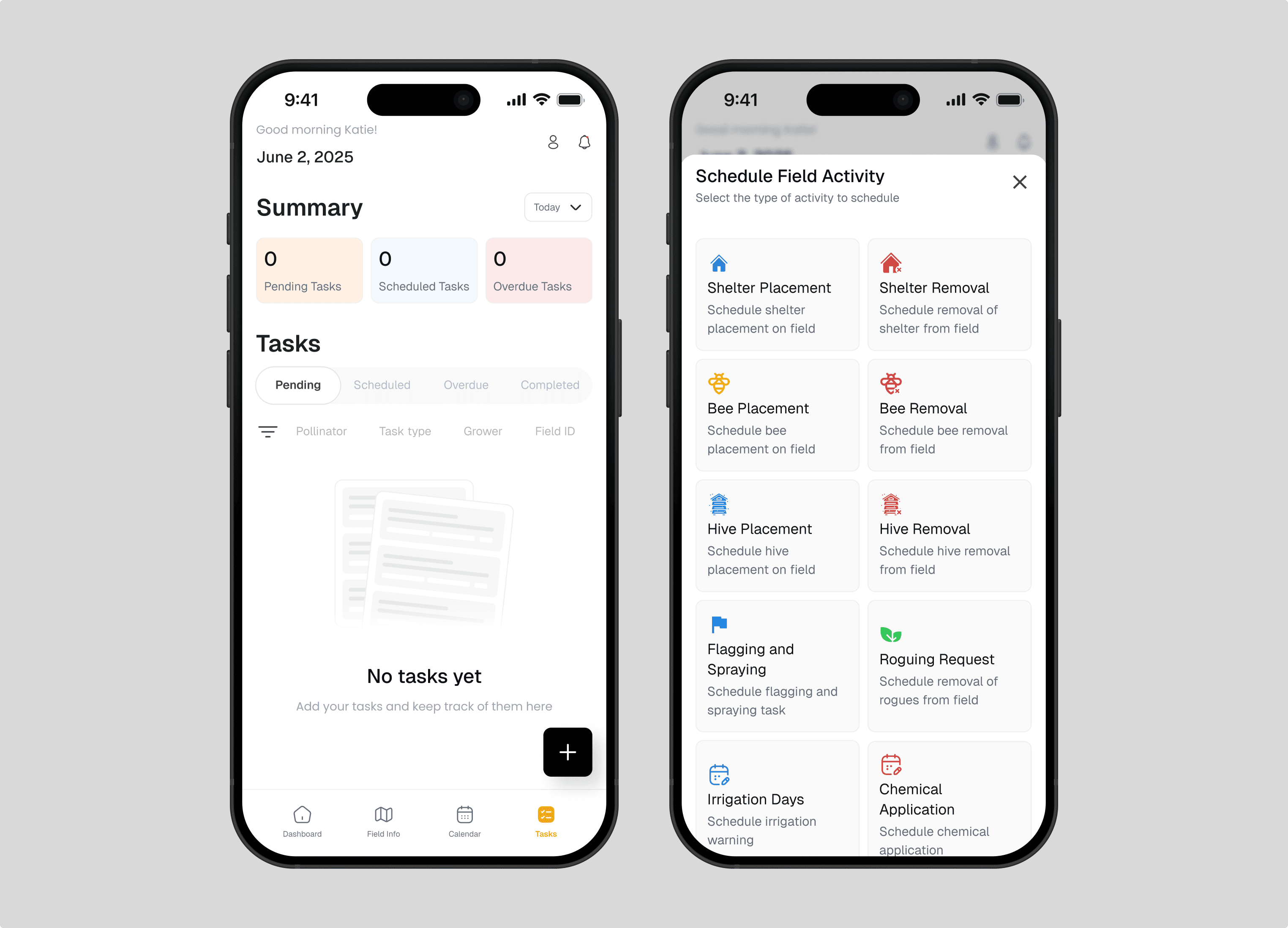
Task management : Task management is the engine driving the workflow. Agronomists could create tasks, assign them to Pollinators, and track progress without constant calls or messages. Pollinators received clear tasks detailing what to do, where, and by when, allowing them to update their status as they worked. This seamless flow ensured both roles felt equally involved, bridging the communication gap between planners and doers.
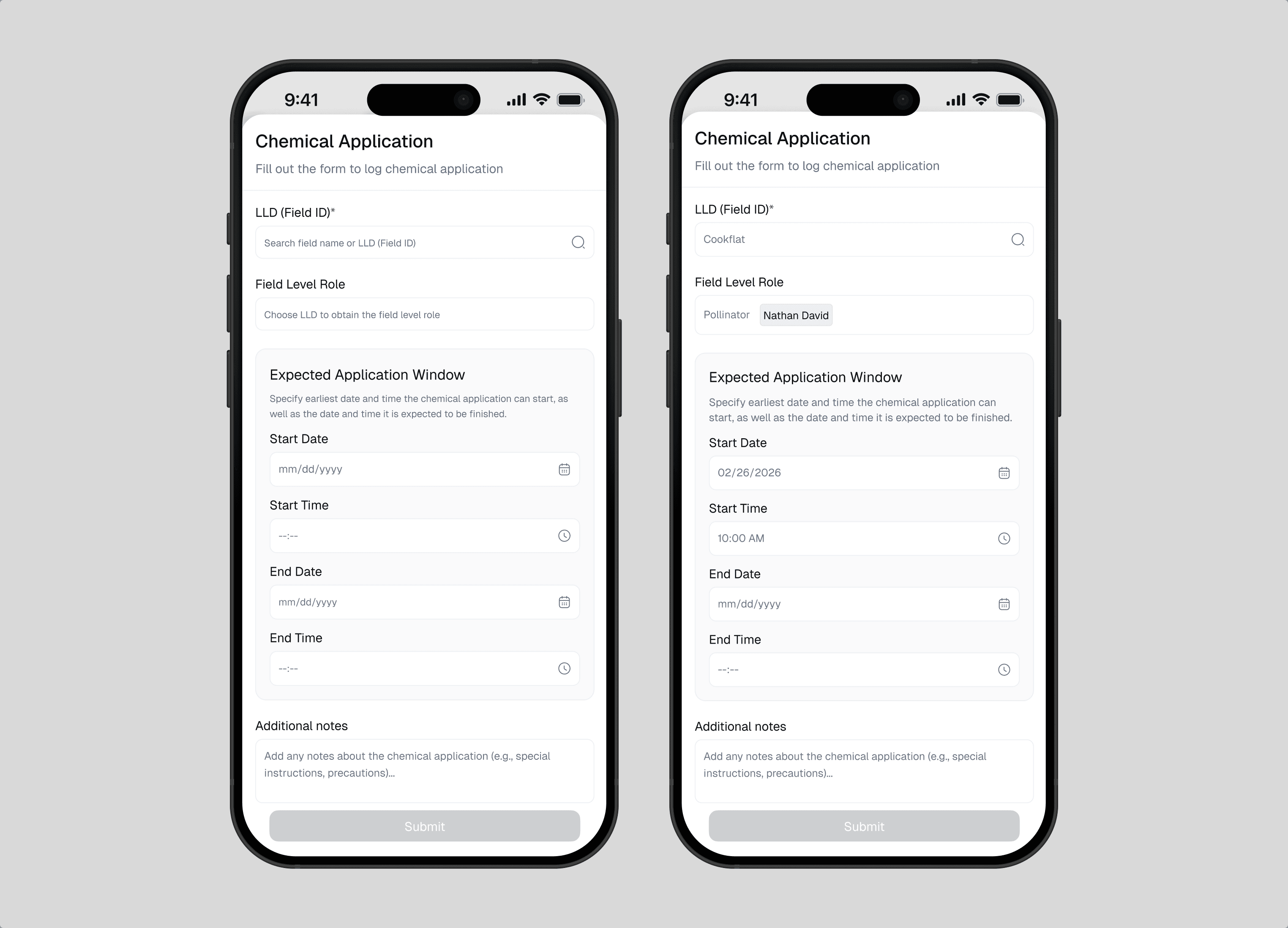
Chemical application : Rather than treating chemical application data as a static record, PollinLink treats it as a real-time operational signal. Applications can be logged in-app. Once captured, the system connects this data to scheduled activities, surfacing alerts to anyone planning to enter the affected field. This approach removes the dependency on perfect system adoption while still creating a reliable safety layer. It ensures that critical information flows to the right people at the right time, without adding friction to existing workflows.
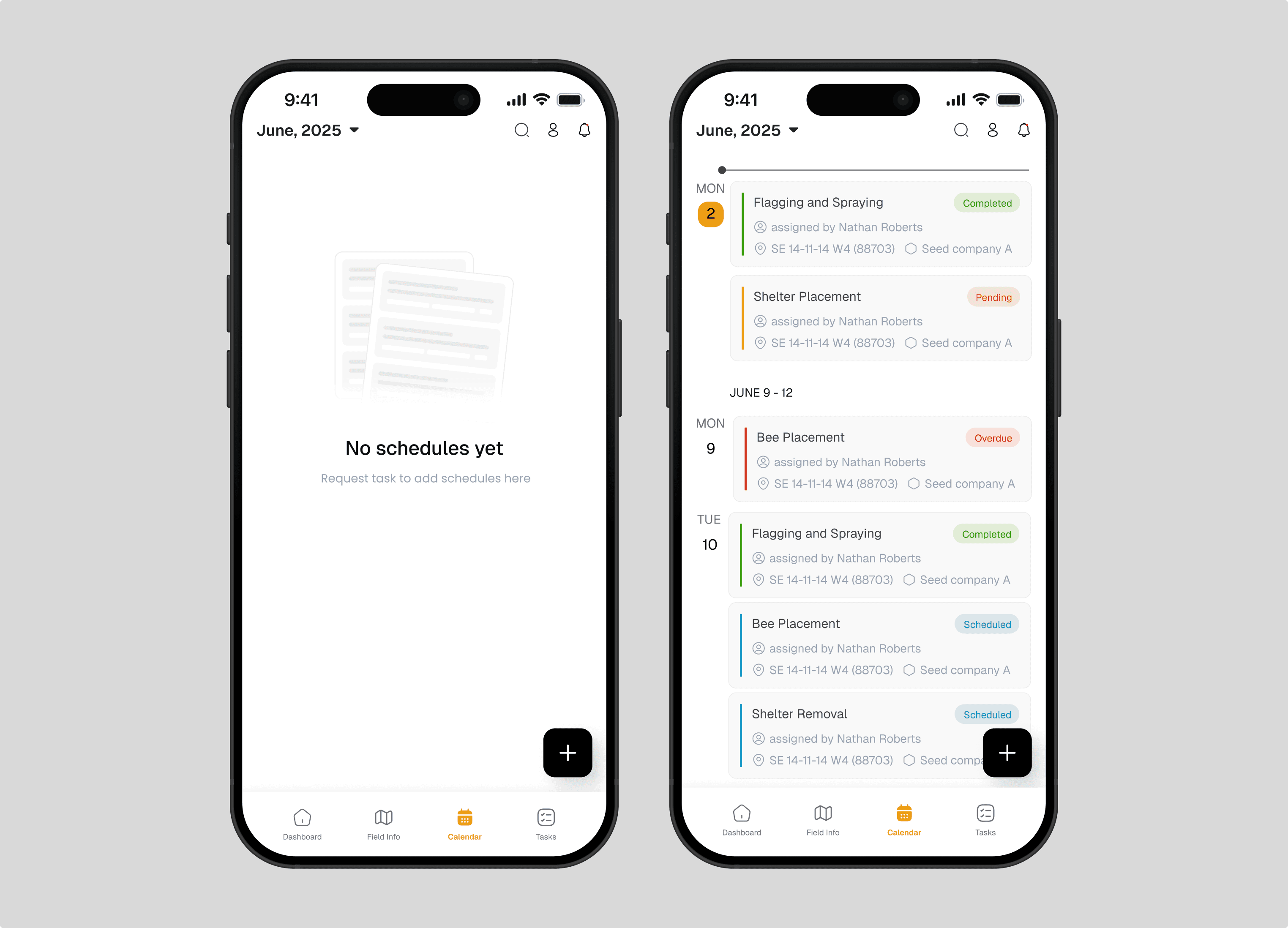
Calendar & scheduling : Timing is crucial for coordination in the field. The calendar feature allows Agronomists to plan and schedule operations, providing a visual timeline of activities. For Pollinators, it serves a different purpose by blocking specific days or date ranges to indicate unavailability. This seemingly minor detail prevents Agronomists from assigning tasks to unavailable team members, transforming scheduling from a guessing game into a collaborative process.
the web experience
Evolution from a focused mobile tool into a role-based platform.
People Management: Before PollinLink, agricultural firms relied on spreadsheets and memory for workforce management. People Management streamlines task scheduling, providing a clear overview of active and pending members and companies. This method prioritizes people over organizations, simplifying agricultural services for crew leads and partner companies. The aim was not to build an HR system but to ensure crews are ready for their 6 AM assignments. Some key flows for this feature are described below.
Create company : When an admin creates a new company, they name it and select services like roguing, honeybee pollination, or leafcutting. Next, they assign a company admin by searching for an existing user or entering a new admin's name and email.
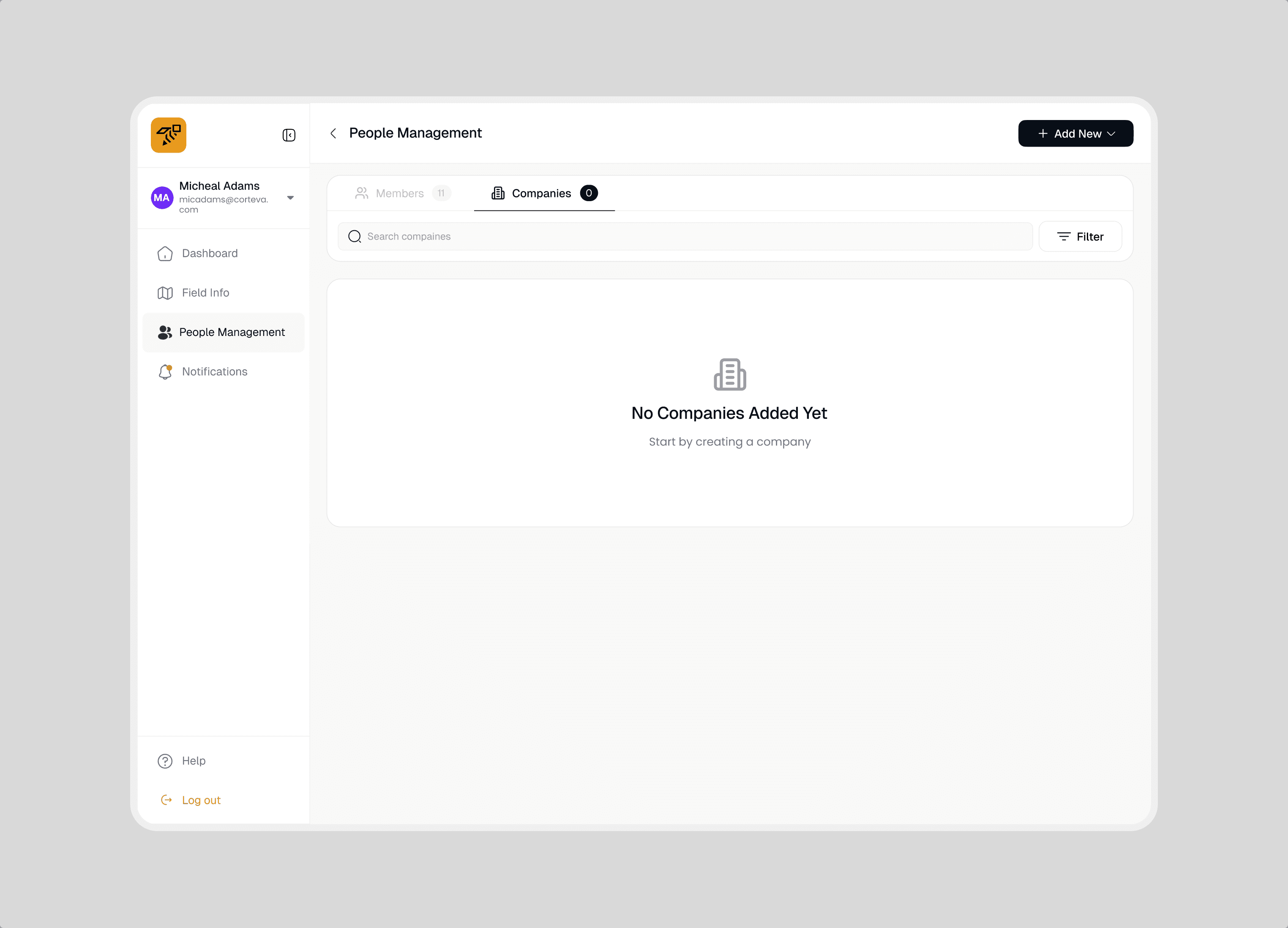
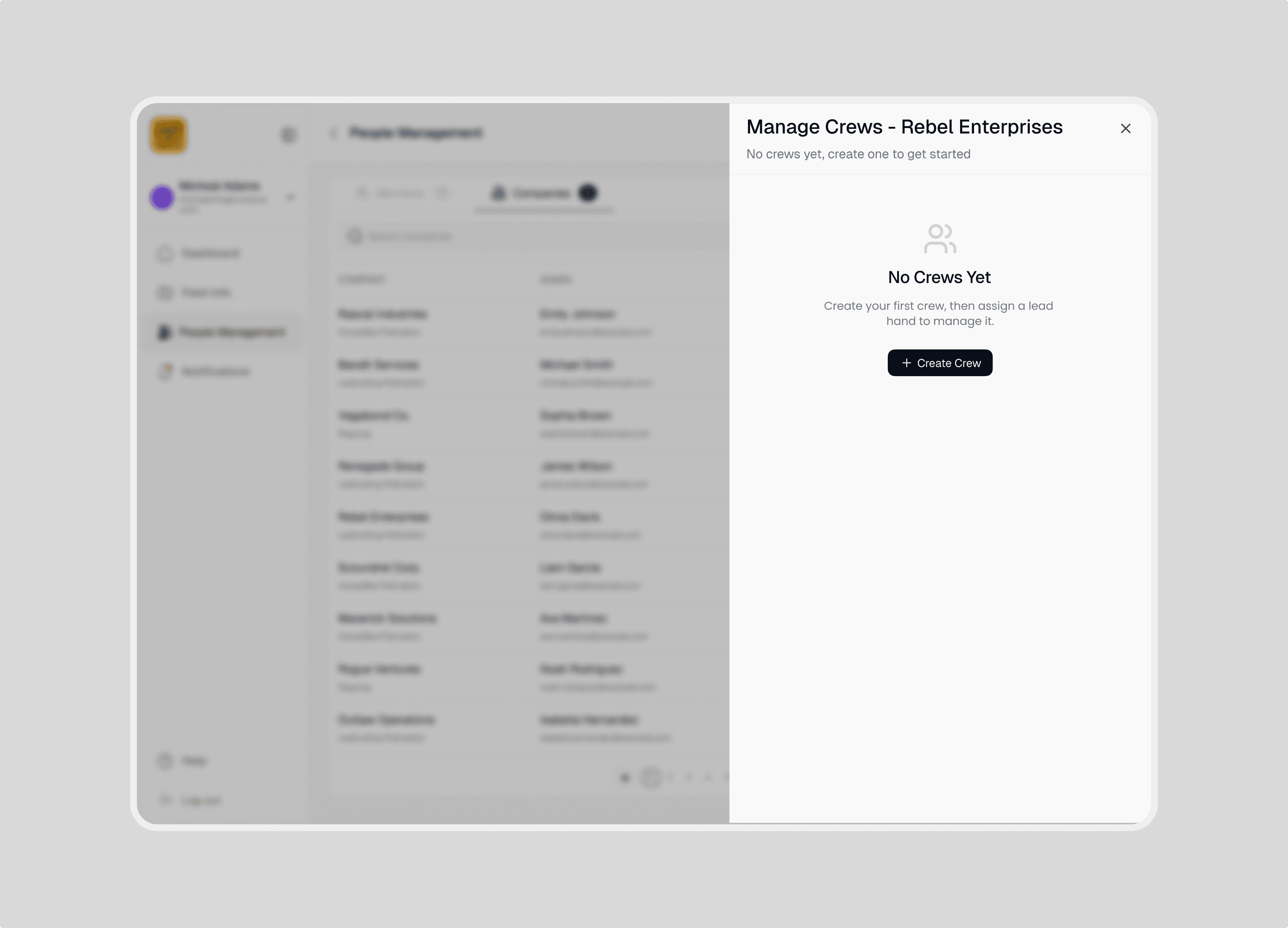
Manage crews : Crews are field units that require quick and adaptable management. Admins can create a crew by naming it and optionally assigning a lead hand, or they can add one later.
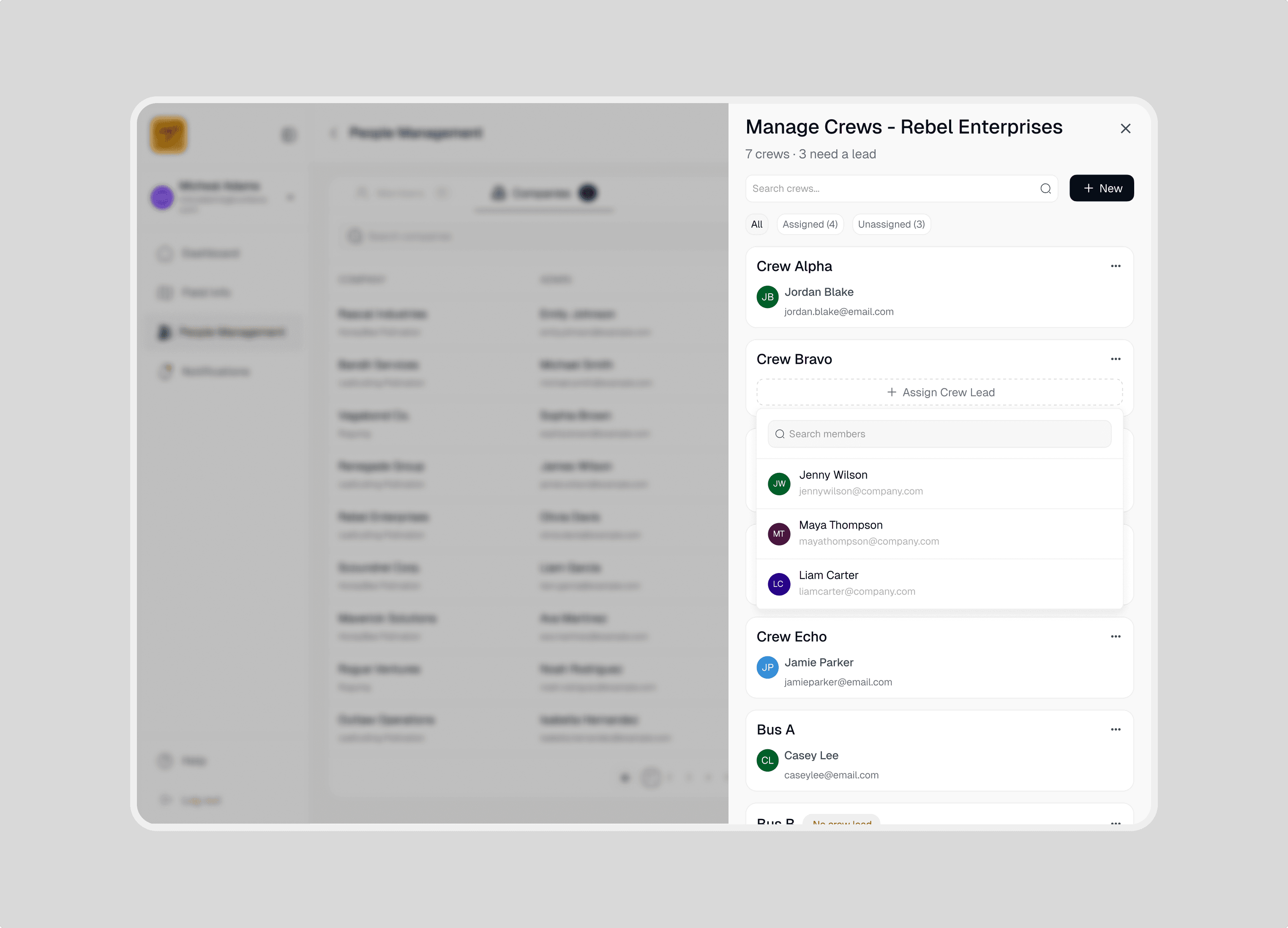
Assign crew leads : Every crew needs a lead hand to receive task assignments, coordinate the team, and file debriefs after fieldwork. To assign one, tap the crew card, open the member dropdown, and select a name. The lead's avatar and contact details appear immediately. A lead can be temporarily overridden for specific tasks without altering the crew's permanent structure.
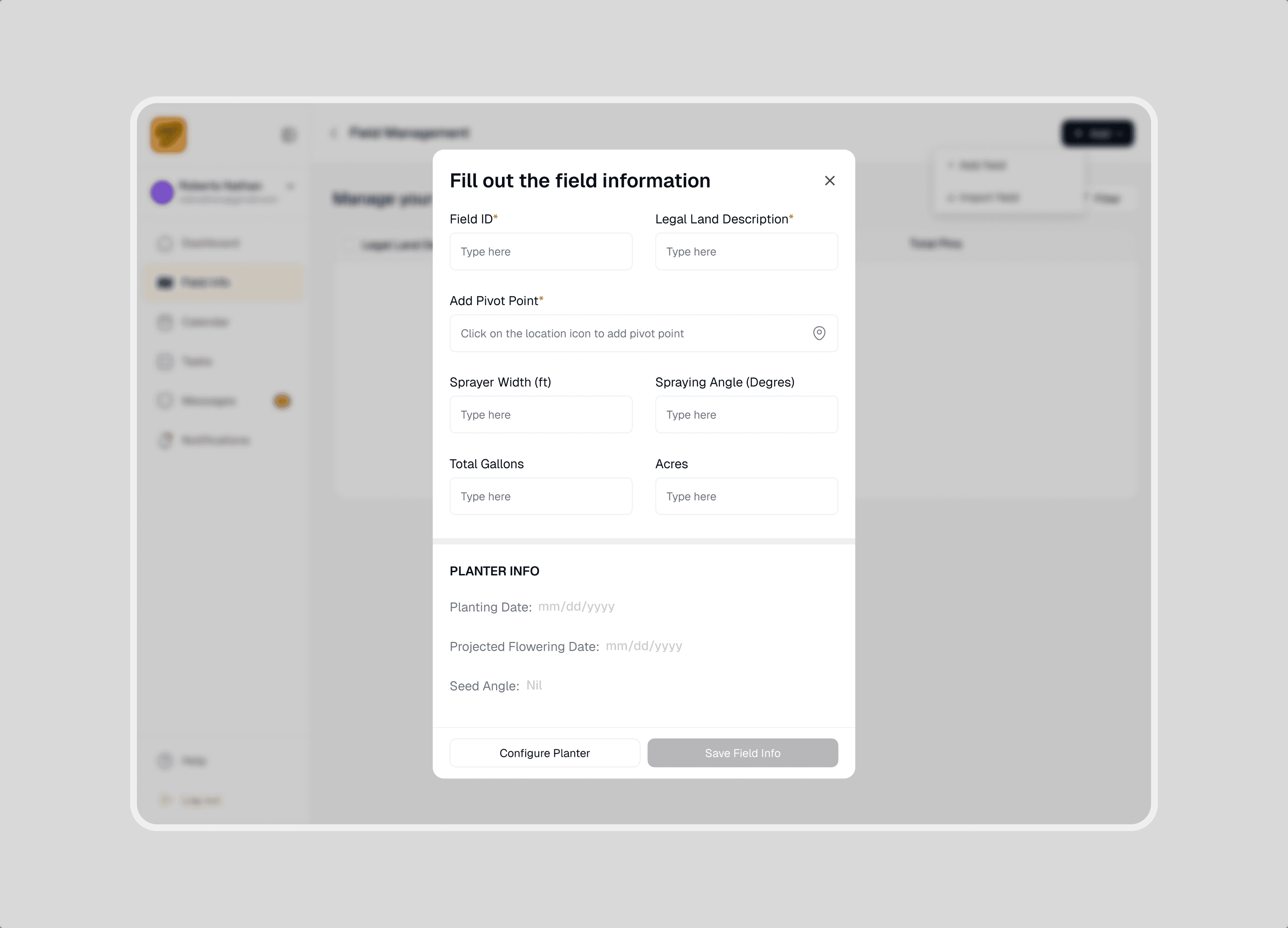
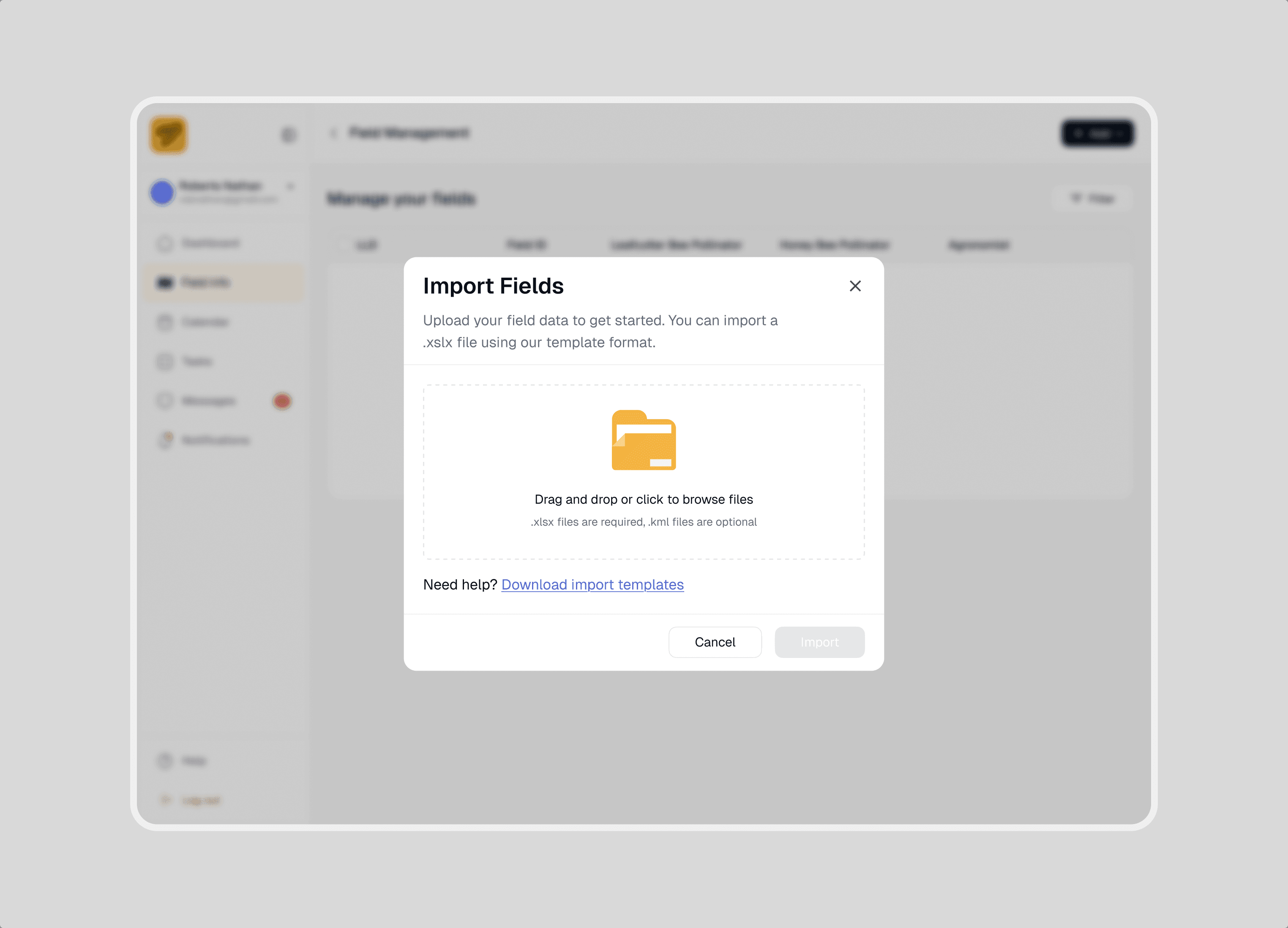
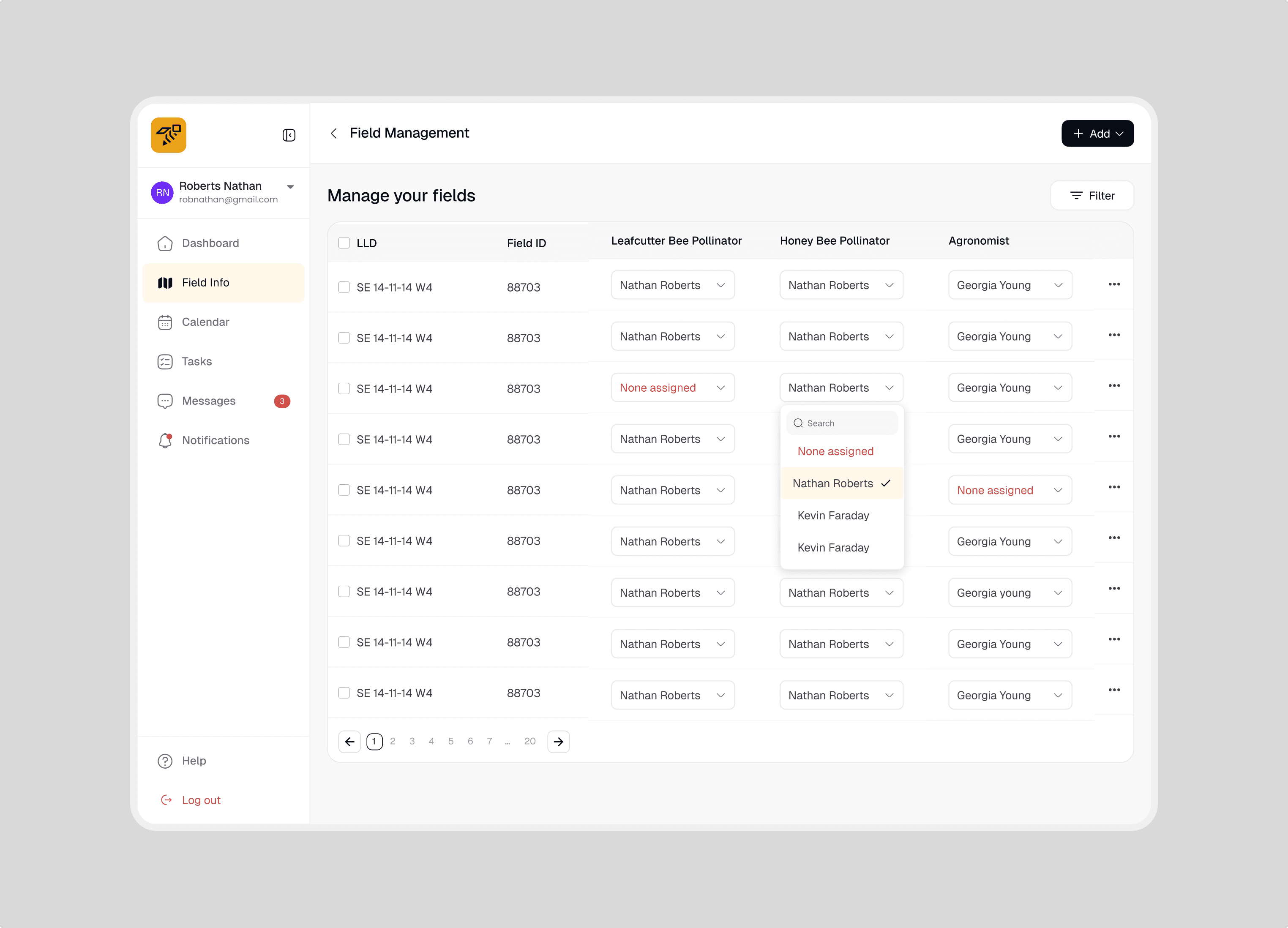
Field Management: This is where all field operations start. Field Management lets admins set up their fields from scratch or import them in bulk, define boundaries, mark pivot points, and assign team members, so by the time anyone opens the app, they already know exactly where they're working and what they're responsible for. Some key flows for this feature are described below:
Add or create a field : Fields can be added manually by adding a pivot point and drawing boundaries.
Import fields : Fields can be imported in bulk by uploading a pre-filled KML template
Assign Member Roles to a Field : Once a field is set up, team members can be assigned to it, making sure the right agronomists, pollinators, and inspectors are linked to the right fields from day one.
Closing
PollinLink expanded the way I think about product design.
Next project
Grovia