Grovia
Designing a platform that gives local farmers access to the resources they need to farm better.
Visual Designer
ROLE
Mobile
PLATFORM
2026
YEAR
In Dev
STATUS
The Challenge
Getting resources to farmers who weed them.
Local farmers often struggle to find the information, tools, and support that could improve their work, and what does exist is scattered and rarely built with them in mind. The challenge was to bring these resources into one place that works for people with varying levels of digital experience. Trust mattered just as much as usability, since farmers rely on what they know and needed to feel the app was credible and useful from the first screen. The goal was to make acting on a resource quick, rather than giving farmers one more thing to figure out.
The IDEA
One app for everything a farmer needs.
To give growers one app to manage their whole garden. Users can photograph their space and get an AI-generated layout, along with suggestions for which plants grow well together. Tasks, reminders, and a growing schedule keep the work on track, and an AI disease scanner helps catch problems early. The aim was to take the guesswork out of growing.
My contribution
Making complex process feel simpleDesign ownership
I led the product design for Grovia, shaping the app’s flows and interface. That included the garden setup, task tracking, and the AI features, like the planner and disease scanner, so they feel simple to use.
the experience
Making complex process feel simple
The mobile app focused on four key feature as described below.
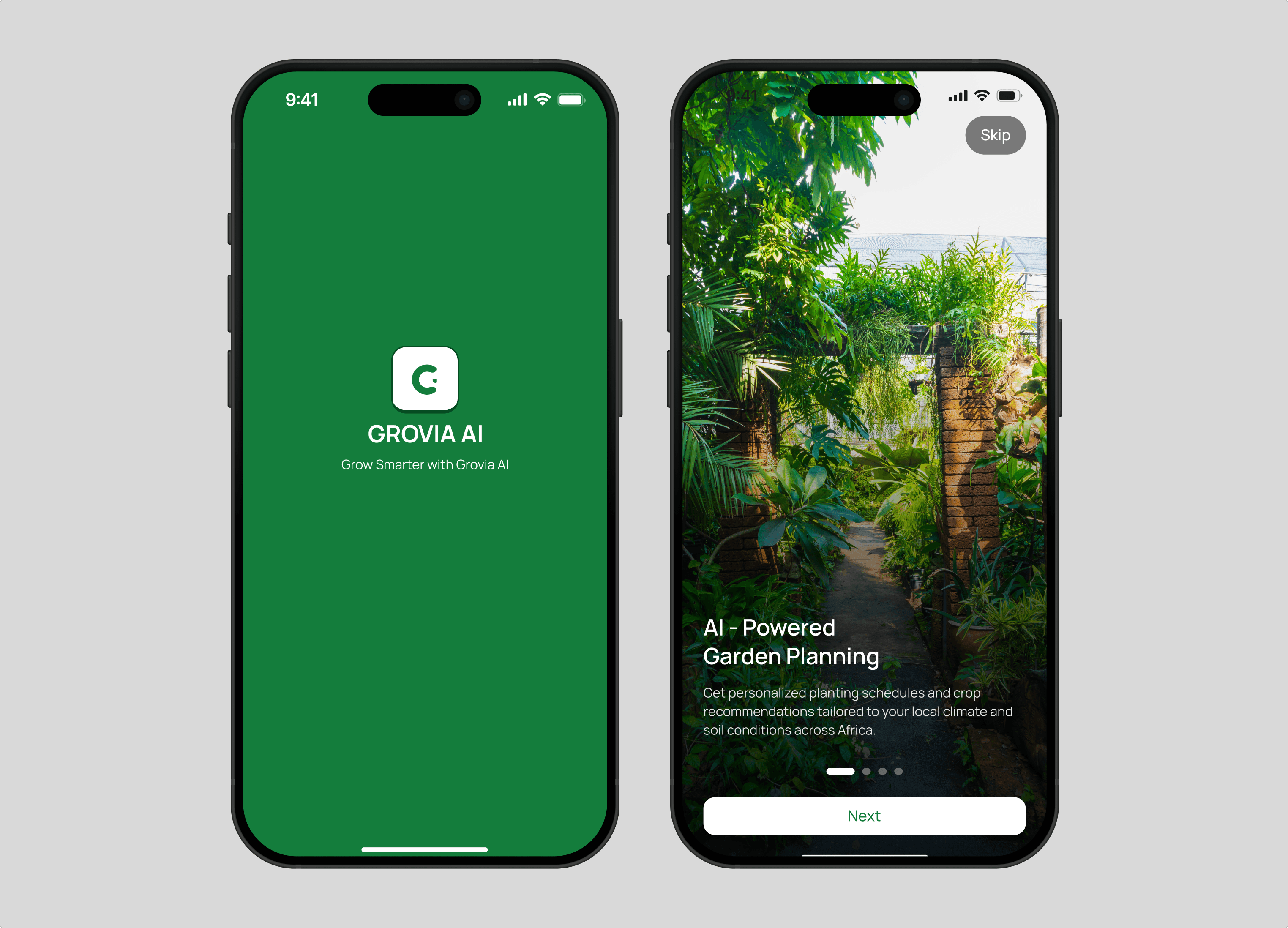
Onboarding : Onboarding starts with a short set of intro slides that explain what Grovia does, then moves into a simple three-step sign up. Users choose whether they are an urban gardener or a smallholder farmer and share their location, so recommendations fit their climate from day one.
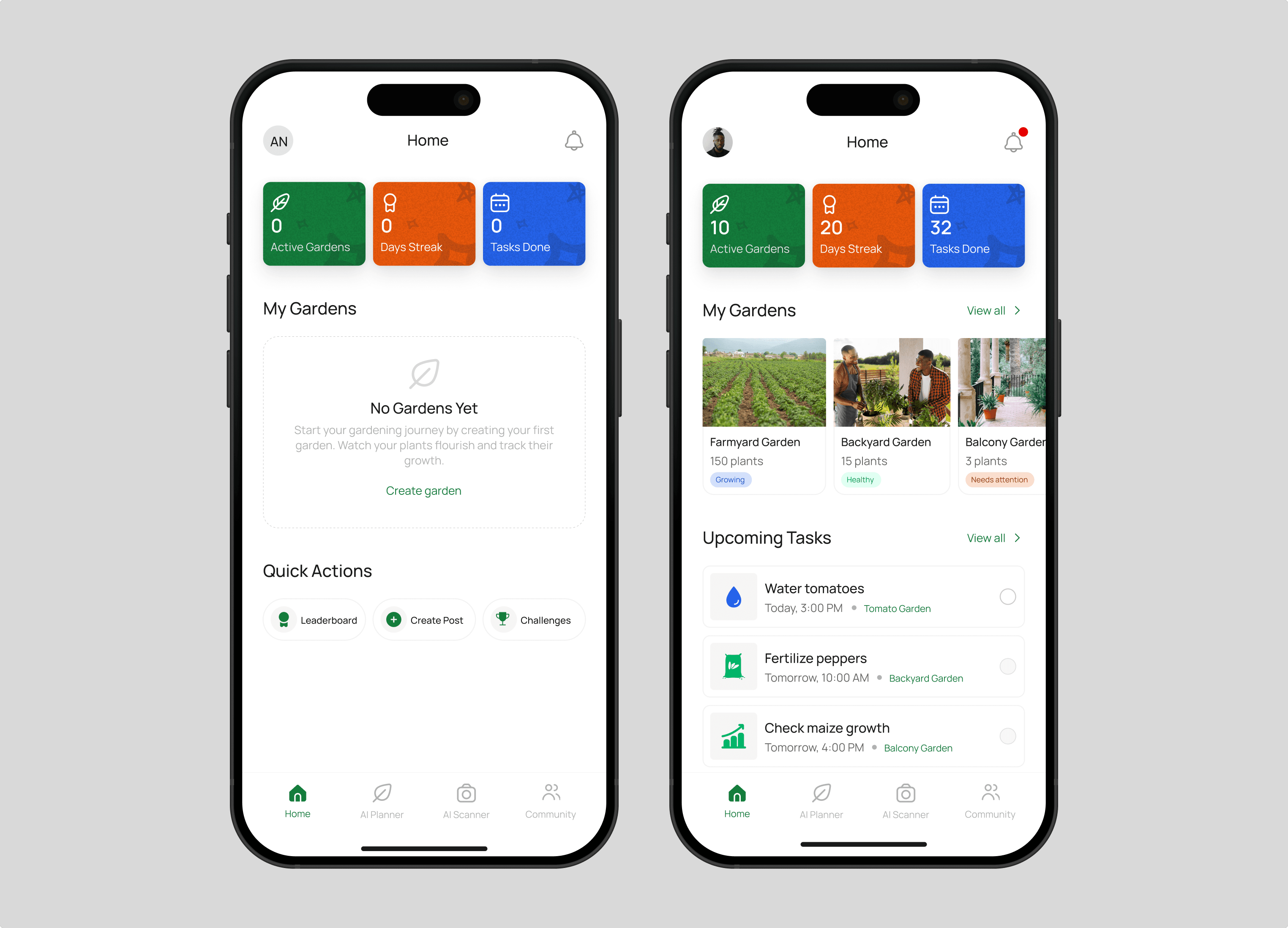
My garden : The home screen shows active gardens, streak, and tasks done at a glance, with a friendly empty state for new users. Each garden has its own page with photos, details, crops, and progress. Users can edit a garden, add or remove plants, or delete it with a clear warning.
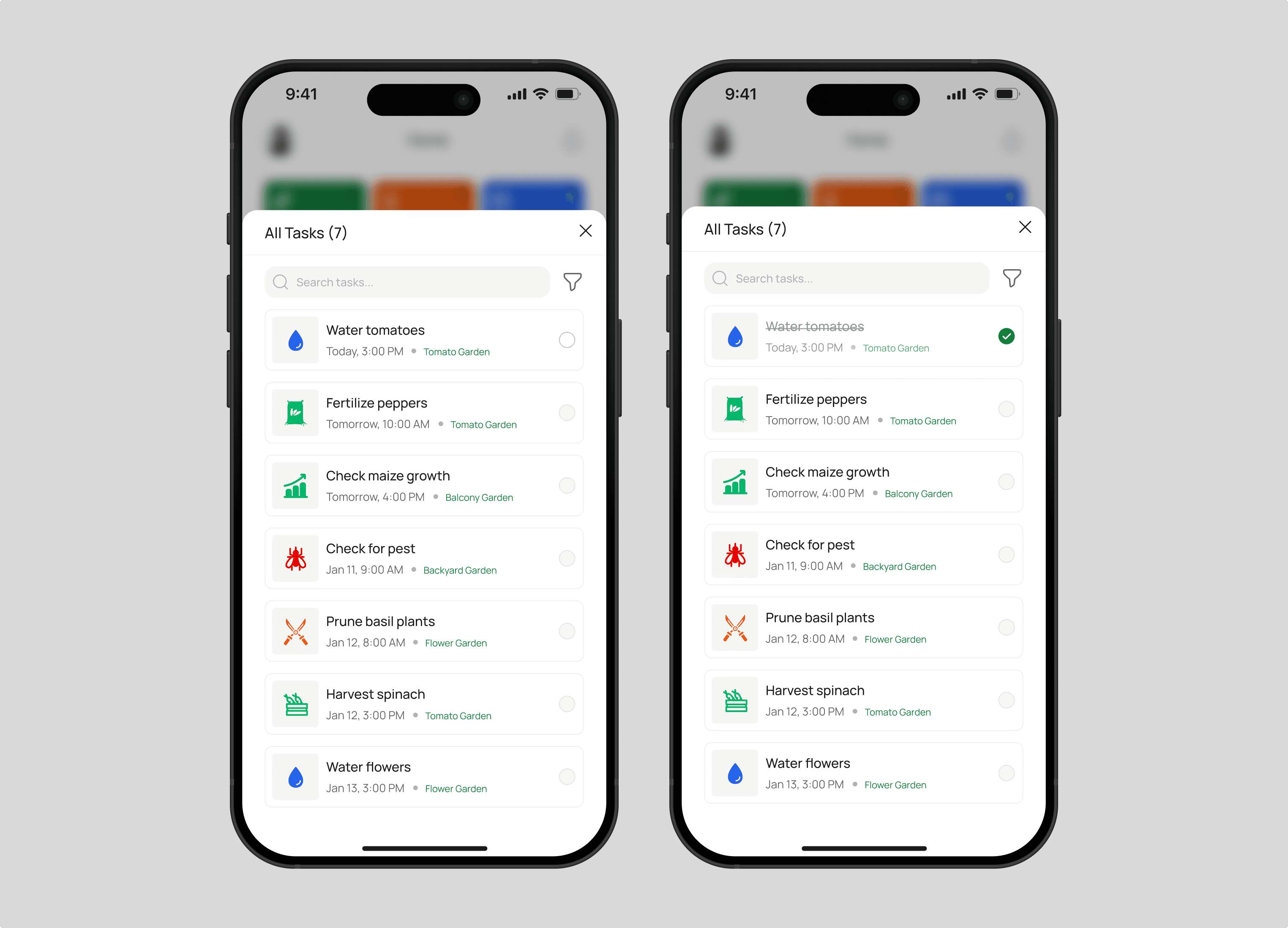
Tasks : Upcoming tasks appear on the home screen and on each garden page. A full task list lets users search and filter by date range and category. Tasks are checked off as they’re done, with a gentle error if one is completed too early.
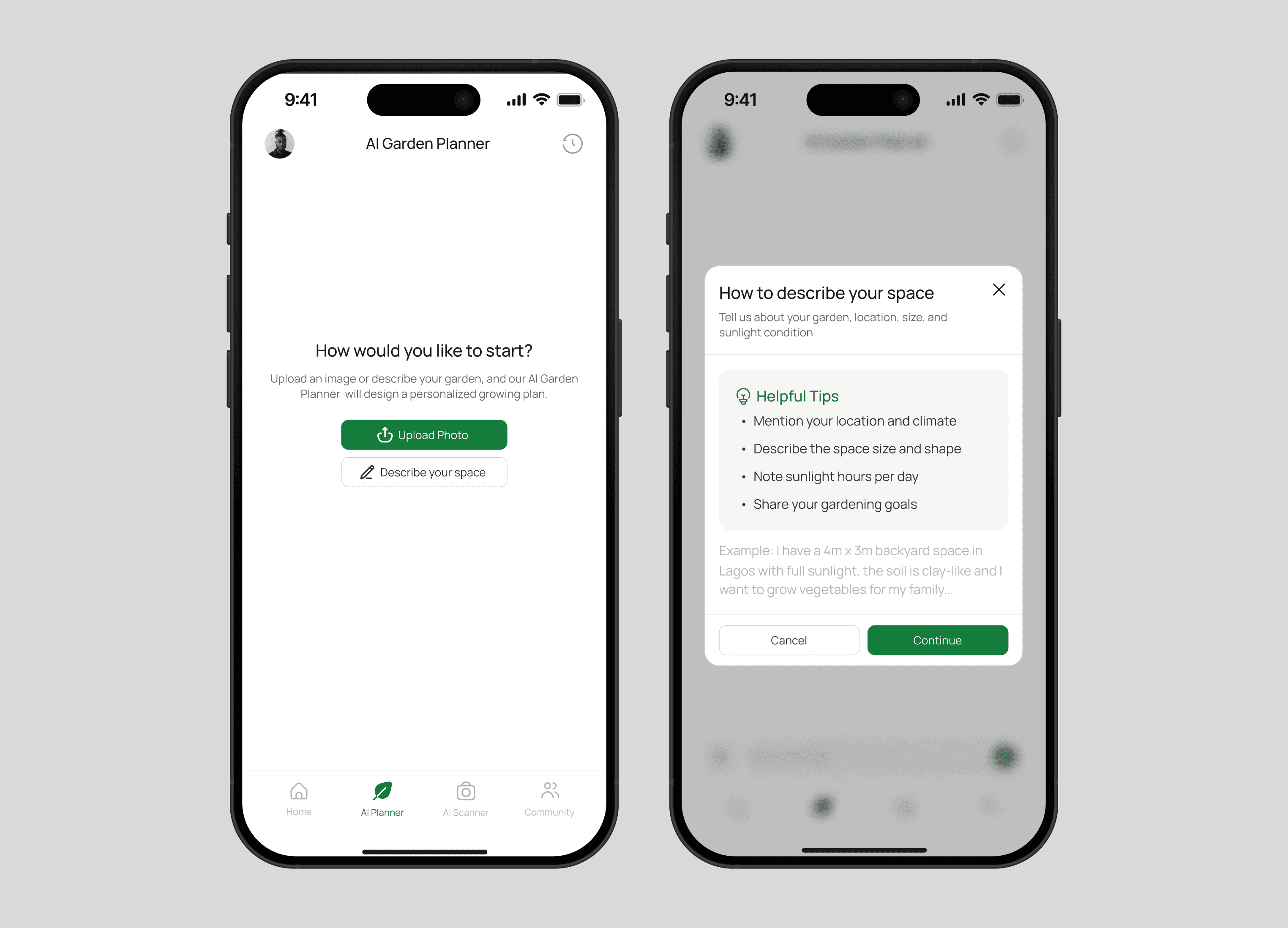
AI garden planner : Users start by uploading a photo of their space or describing it by typing or voice, with a short tip screen to help first-timers know what to include. The AI analyzes the space and builds a personalized plan. Users then pick from suggested plants or add their own, and get instant feedback on whether their choices grow well together, with a warning when plants are incompatible. Past chats are saved in a history so users can come back to earlier plans. Once the plan is ready, everything appears on one screen: a visual garden layout with each plant in its own row, the plants to grow, soil requirements, and a 12-week growing schedule. Tapping a plant shows spacing, watering, and growing tips, and the soil screen lists amendments and prep steps. The schedule breaks the work into weekly tasks, can be filtered by plant, and can be added to Google Calendar. Users can then save the plan as a garden with a name and cover photo.
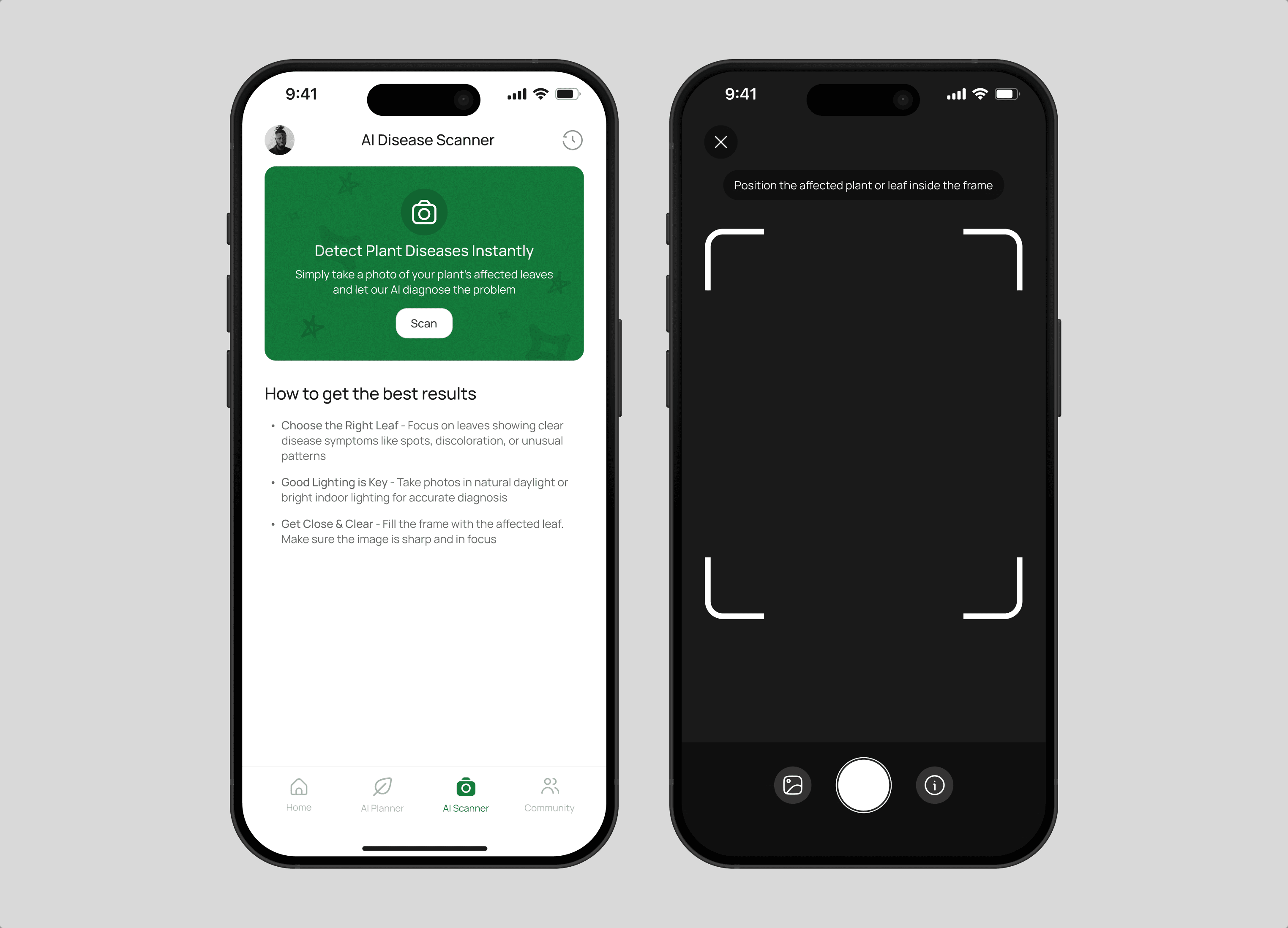
AI disease scanner : The scanner starts with a short guide on getting the best results, like choosing the right leaf, using good lighting, and getting close. Users can take a photo or upload one, then see a clear analyzing state while the AI works. The result shows the disease, its severity, and a confidence score, followed by a step-by-step treatment plan and recommended products. Past scans are saved in a history that can be searched and filtered by severity, so users can track problems over time.
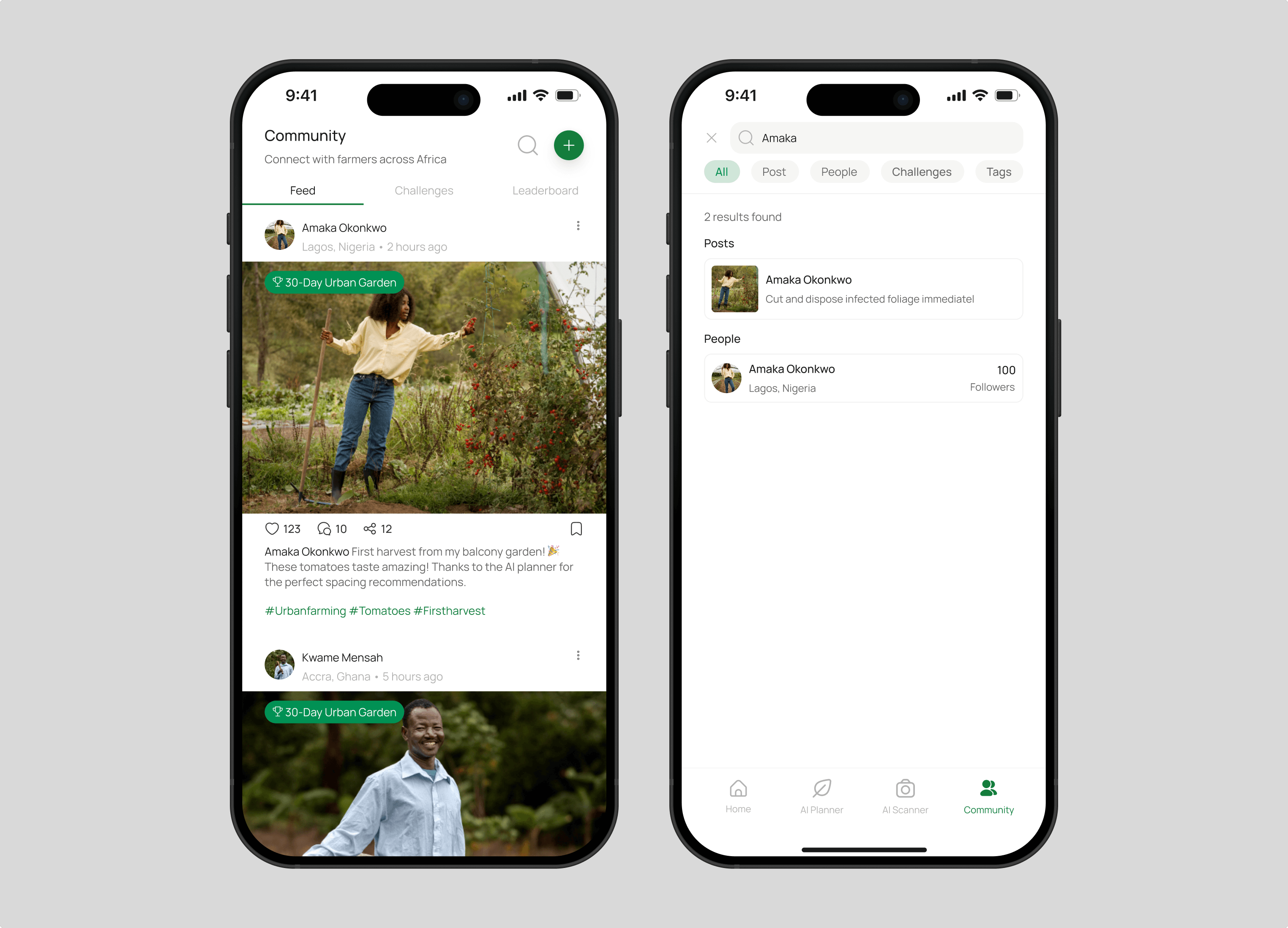
Community : The community tab is a feed where farmers and gardeners share photos of their progress, with posts that can be liked, saved, and commented on in threaded replies. Users can create a post with a photo and link it to a challenge, and search across posts, people, challenges, and tags. Each member has a profile showing their posts, badges, completed challenges, and farming stats, so the app feels like a connected network of growers and not just a tool.
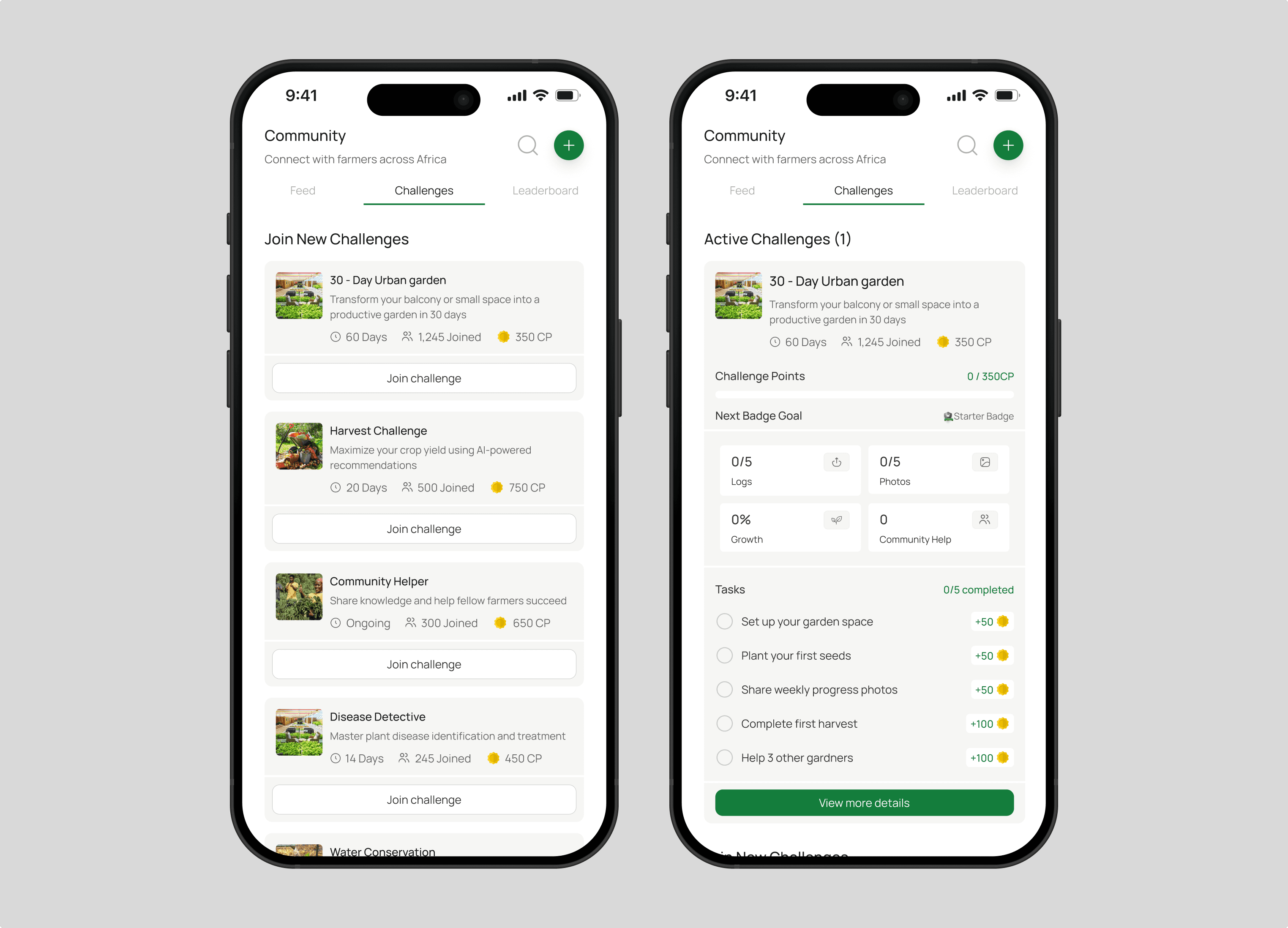
Challenges : Challenges turn growing into a shared goal. Users can browse and join challenges like the 30-Day Urban Garden, Harvest Challenge, or Disease Detective, each showing its length, how many people joined, and the points to earn. Inside an active challenge, users complete tasks, log milestones with progress notes, and upload photos to earn challenge points and badges. An insights tab gives personalized AI feedback, recommendations, and a progress timeline, which keeps users motivated and coming back.
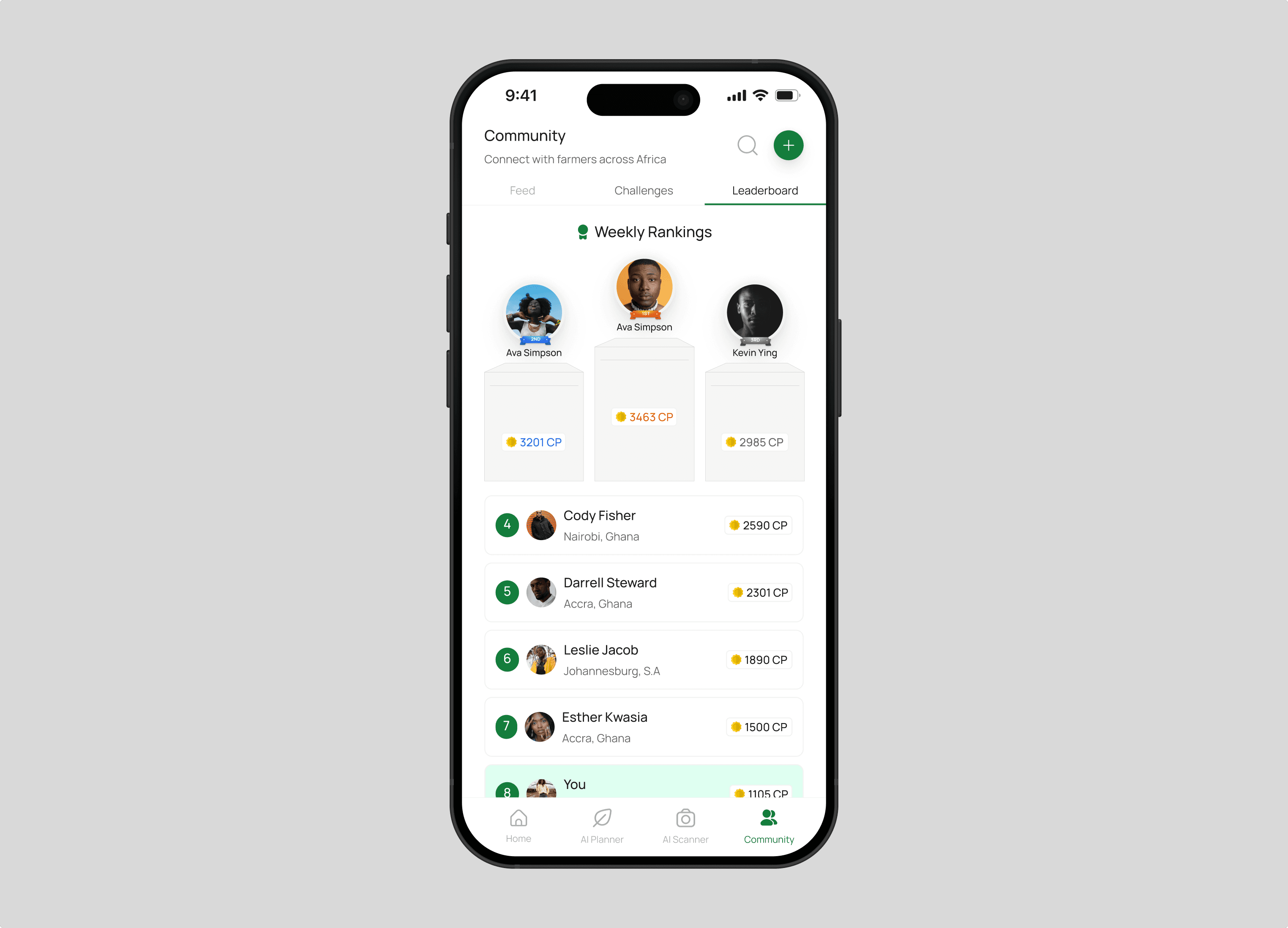
Leaderboard : The leaderboard ranks community members each week by the challenge points they earn. The top three get a podium, and everyone else follows in a simple list with their location and points. The user's own row is highlighted in green, so they can see where they stand at a glance and what it takes to climb higher.
Closing
Growing beyond the app
Grovia brings planning, care, and community together so growers can make better decisions at every stage, from the first seed to the harvest. Designing it taught me how to make AI-powered tools feel simple, and how to build trust through clear feedback and thoughtful details. Next, I’d like to test the product with real farmers and gardeners and keep refining it based on how they use it.
Next project
ClipQC